
Large screen
Small screen
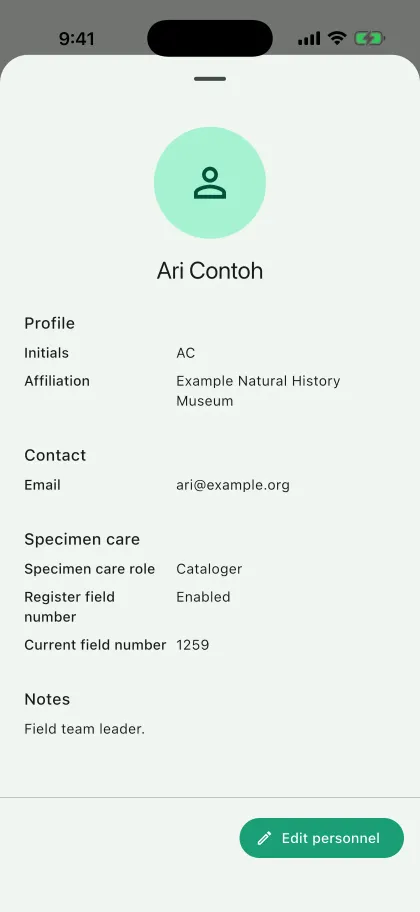
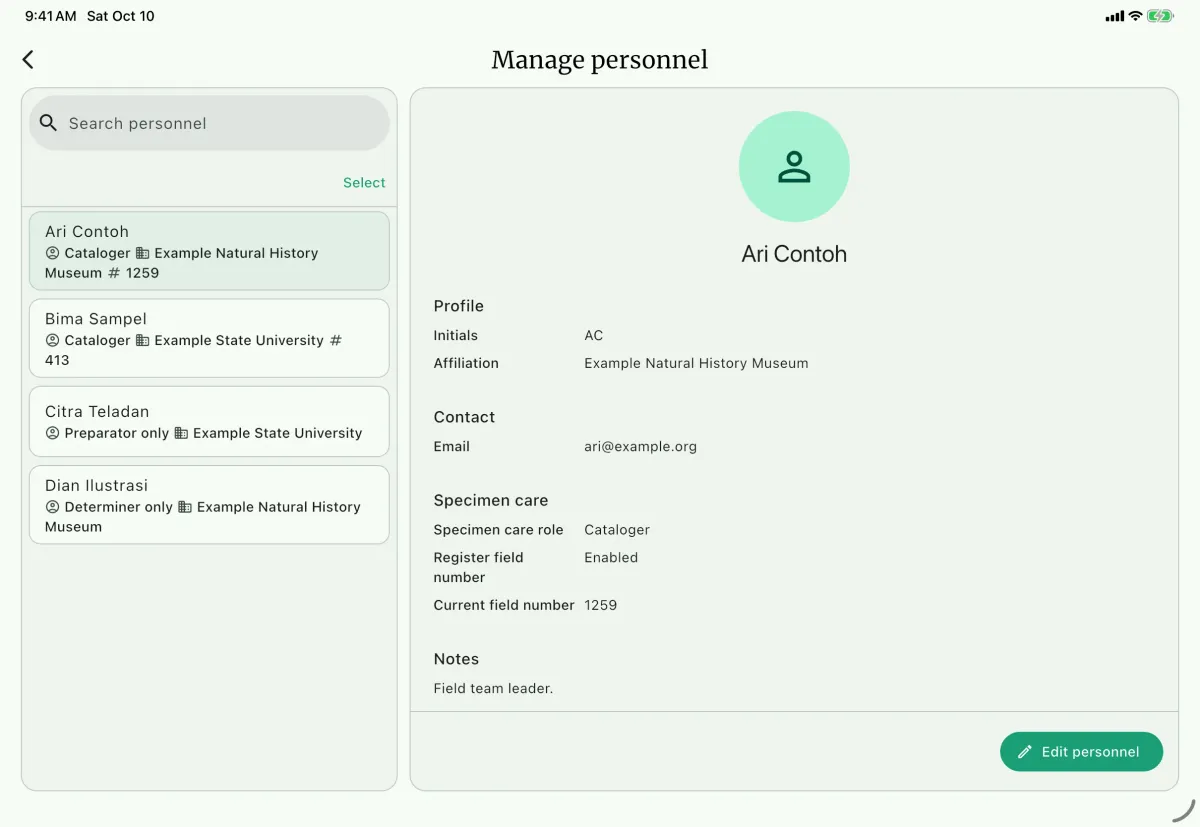
Personnel records are shared in the NAHPU database and can be assigned to multiple projects. A project only displays the personnel assigned to it.
Adding personnel to a project
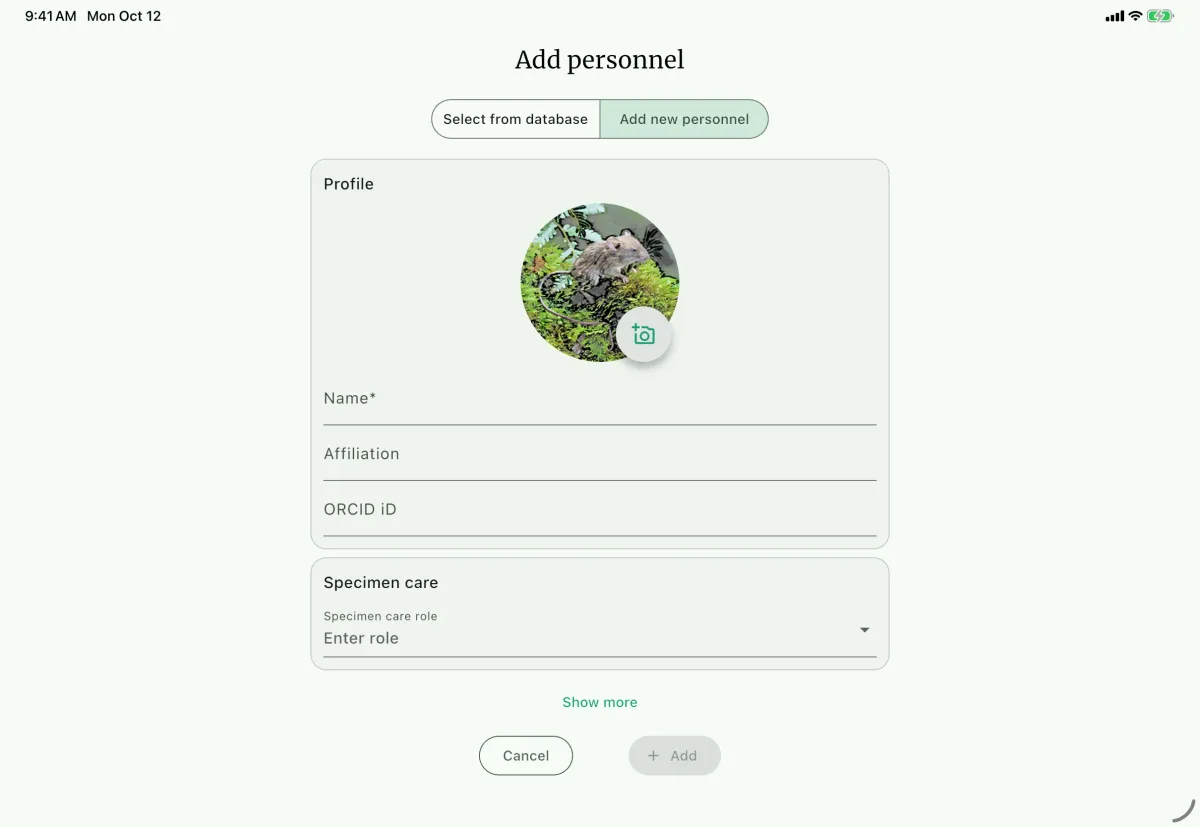
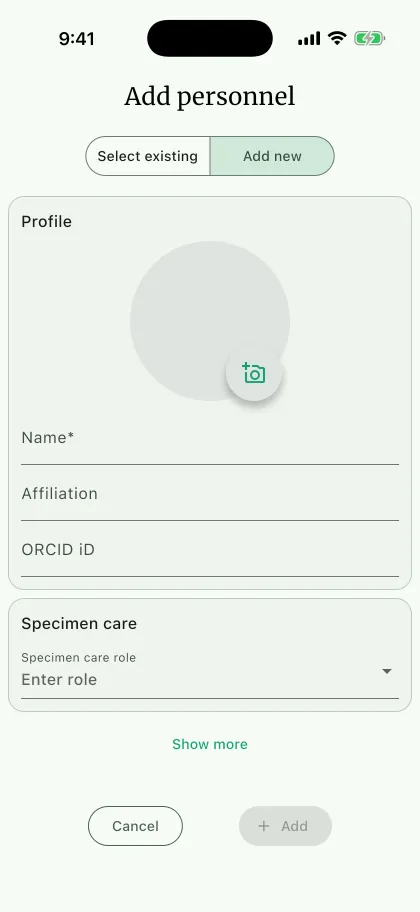
Section titled “Adding personnel to a project”From the Personnel panel on the project dashboard, select Add personnel. If personnel already exist in the database, choose Select from database E and select the people to assign. Otherwise, choose Add new personnel F.
The form includes:
- Name (required) G - The person's name.
- Photo - An avatar or personnel photo.
- Affiliation - The person's institution.
- Email - The person's email address.
- Phone - The person's phone number.
- ORCID - An optional hyphenated ORCID iD with a valid checksum, such as
0000-0002-1825-0097. - Specimen care role B -
Cataloger,Preparator only,Determiner only, orNone. - Notes - Additional information about the person.
Use Show more H to reveal optional fields. Email addresses are normalized to lowercase and phone numbers accept digits.
Darwin Core exports use the canonical https://orcid.org/... URL as the person's agent identifier when ORCID is present. Otherwise, they use the NAHPU personnel UUID.
Field numbers for catalogers
Section titled “Field numbers for catalogers”When the role is Cataloger, C NAHPU provides the Register personal field number option. Turn it on when the cataloger's initials and number should generate specimen field IDs. Enter the field initial and starting number; the number advances as specimens are created.
If the collection uses project-based numbering, configure the project Field ID convention in Settings instead of registering a fictitious person with the project code.
Field-number registration is optional. A cataloger role cannot be changed after the person is created.
Editing and removing personnel
Section titled “Editing and removing personnel”Use the three-dot menu beside a person in the project Personnel panel to edit or remove that person from the project. Removing a person from a project does not delete the shared personnel record. A person cannot be removed while project records still use that person.
To search, edit, or permanently delete database personnel D, open Settings and choose Personnel or Manage personnel A. NAHPU prevents permanent deletion when a person is still assigned to a project.
Terminology
Section titled “Terminology”Cataloger
Section titled “Cataloger”A person who creates and edits specimen catalog records. Catalogers can appear in cataloger, preparator, and collecting-personnel fields. Their role cannot be changed after creation.
Preparator only
Section titled “Preparator only”A person who helps prepare specimens but does not create or edit catalog records.
Determiner only
Section titled “Determiner only”A person who identifies specimens but does not catalog or prepare them. Select this person in the specimen form's Determiner field.
A person who supports fieldwork without a specimen-care role, such as a guide, driver, or cook. Their name can still be recorded as collecting personnel.